

There is a belief that has been circulating since the early 2000s, and it refuses to die: Macs do not get viruses. You have probably heard it, maybe even said it yourself. And for a long time, it was close enough to true that most people never questioned it.
It is not true anymore.
The threat landscape for Mac users has shifted dramatically over the past few years, and most people are completely unaware of how exposed they actually are. This is not about scaremongering — it is about understanding what changed, why it matters, and what you can realistically do to protect yourself without turning your computer into a paranoid fortress.
Where the “Macs Are Safe” Idea Came From
The reputation was earned, not invented. In the 1990s and early 2000s, Windows dominated the personal computing market with somewhere between 90 and 95 percent market share. Cybercriminals, like any rational actor, built tools that would affect the largest possible number of targets. Writing malware for Mac was a poor return on investment when the platform ran on maybe five percent of the world’s computers.
Apple also built macOS on a Unix foundation, which gave it structural security advantages over older versions of Windows. The permission model was tighter. The system made it harder for software to reach into areas it had no business touching. And Apple’s tightly controlled software ecosystem meant that malicious programs had fewer easy entry points.
So the belief had a legitimate basis at the time.
What Changed
The first thing that changed was market share. Mac adoption has grown significantly over the past decade, particularly among professionals, developers, and higher-income households. That demographic shift matters because cybercriminals do not just chase volume — they chase value. A machine used by a freelance designer, a finance professional, or a remote worker with access to company systems is a far more attractive target than a low-use home PC, even if there are fewer of them.
The second thing that changed was the nature of the threats themselves. Modern Mac-targeted attacks often have nothing to do with the classic image of a virus spreading through an infected USB drive. Today the threats look like this:
Adware and browser hijackers. These are programs that install themselves alongside legitimate software, often hidden in the fine print of a download agreement. They are rarely dangerous in the way a bank-emptying trojan is dangerous, but they degrade your machine’s performance, redirect your searches, and collect browsing data you never agreed to share.
Spyware and stalkerware. These programs run silently in the background and monitor what you do — keystrokes, screenshots, camera access, microphone inputs. They are particularly common in targeted attacks against specific individuals rather than mass campaigns.
Fake system tools and cleaners. The Mac software market has a long-running problem with programs that present themselves as legitimate optimizers or security scanners but are, in practice, either useless or actively harmful. They exploit users who are trying to do the right thing by taking care of their machine.
Phishing and social engineering. This category has nothing to do with your operating system. If you are tricked into entering your Apple ID credentials on a convincing fake page, or if you download what looks like a software update from a spoofed website, no amount of Unix architecture will save you.
Zero-day exploits. These are vulnerabilities in macOS itself that attackers discover before Apple does. They are rarer, but they exist, and when they surface they can be extremely serious in the window between discovery and the release of a patch.
Why Apple’s Built-In Protections Are Not Enough on Their Own
Apple is not ignoring the problem. macOS ships with several layers of protection that are genuinely useful. Gatekeeper checks whether software comes from an identified developer before allowing it to run. XProtect is a built-in malware scanner that maintains a database of known threats. The Notarization system requires developers to submit their software to Apple for a security check before it can be distributed outside the App Store.
These tools do real work. But they have clear limitations that are worth understanding.
XProtect works by matching against a database of known threats. It is effective against malware that has already been identified and catalogued, but by definition it cannot detect something new. There is always a gap between when a new threat emerges and when it is added to the database — and that gap is exactly when you are most exposed.
Gatekeeper can be bypassed. There are documented techniques that allow malicious software to circumvent Gatekeeper checks, particularly when users are manipulated into granting permissions themselves. The system can say “this software is from an unidentified developer” and a surprising number of people will click through the warning anyway because they want to run the thing they downloaded.
Apple’s protections are also built to be unobtrusive. They run quietly and rarely tell you what they have or have not found. You do not get a detailed picture of what is happening on your machine, which means you cannot make informed decisions about what to address.
The Invisible Background Activity Problem
Here is something most Mac users do not think about: your machine is never truly idle. Even when you are not actively using it, dozens of background processes are running — checking for updates, syncing files, indexing your storage, communicating with servers, managing system resources.
Most of these processes are completely legitimate. But buried in that activity, it is genuinely difficult for the average user to spot something that should not be there. A process running under an unfamiliar name could be a system utility you have never needed to look at, or it could be something that installed itself without your full awareness and is quietly sending data somewhere.
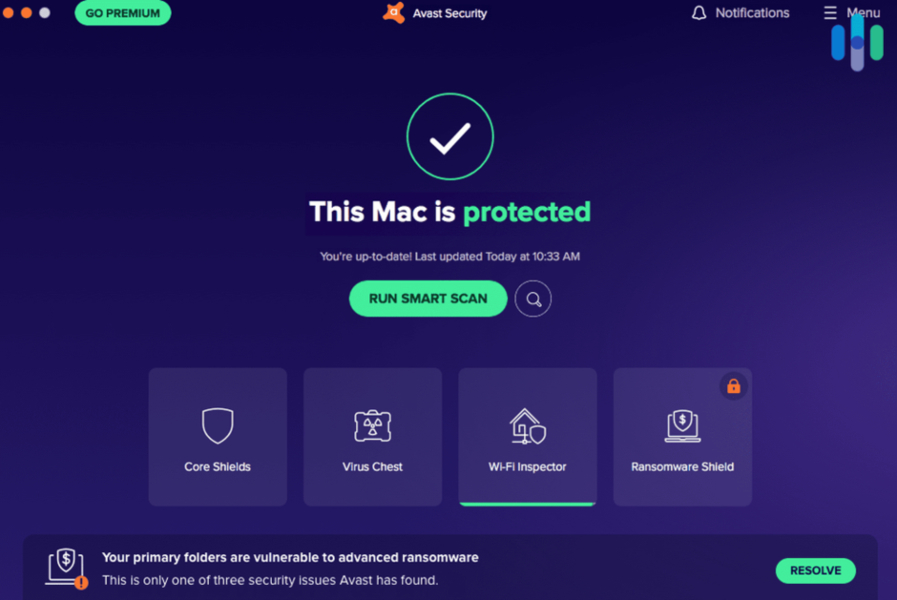
This is one of the most practical arguments for dedicated security software: not because your Mac cannot handle itself, but because having visibility into what is actually happening gives you the ability to respond to something you otherwise would not know about. Running a specialized MAC OS monitoring software alongside native protections provides this exact transparency, letting users easily track hidden background connections, file alterations, and unauthorized credential requests in real time.
A Practical Approach to Mac Security
Getting serious about Mac security does not require a complete overhaul of how you use your computer. Most of what actually matters comes down to a handful of consistent habits, combined with tools that fill the gaps Apple’s built-in protections leave open.
Keep macOS updated, and do it promptly. Software updates are the single most effective defense against known exploits. Apple patches vulnerabilities as they are discovered, but those patches only protect you once you have installed them. Putting updates off for weeks because the timing is inconvenient is a genuine risk.
Be deliberate about what you download and from where. The Mac App Store is not the only legitimate place to get software, but it is the safest. When you download from outside the App Store, use the developer’s official website directly rather than a third-party aggregator. Check that the URL is correct. Be suspicious of any installer that asks for more permissions than the software’s purpose would logically require.
Review your browser extensions regularly. Extensions can access far more of your browsing activity than most people realize. An extension that seemed useful six months ago and now sits unused in your toolbar is an unnecessary attack surface. Remove anything you do not actively use.
Think twice before granting permissions. macOS prompts you when an application wants access to your camera, microphone, location, or contacts. These prompts exist for a reason. If a piece of software is asking for access that does not make obvious sense given what it is supposed to do, that is worth investigating before you click Allow.
Use a dedicated security layer that goes beyond what Apple provides. This is where the gap between Apple’s built-in tools and genuine comprehensive coverage becomes most visible. Moonlock is built specifically to address Mac-targeted threats — monitoring for active malware, detecting suspicious background activity, and providing the kind of real-time visibility that Apple’s own tools are not designed to give you. Taking a practical approach to your digital security on a Mac increasingly means layering this kind of dedicated protection on top of, not instead of, what Apple already provides.
The Specific Threats Worth Taking Seriously in 2026
If you want to know what is actually circulating in the Mac threat landscape right now, here is a realistic picture:
MacStealer and similar info-stealers. This category of malware is designed to extract saved passwords, credit card data, and browser cookies from your machine. Several variants specifically target Mac users and have been distributed through fake software downloads and cracked application files.
Atomic Stealer (AMOS). This threat has been widely documented by security researchers and targets Mac users specifically. It is typically distributed through malicious advertising on legitimate websites — meaning you do not have to do anything obviously careless to encounter it. It goes after your wallet passwords, browser data, and macOS keychain credentials.
Adload. An adware family that has been evolving for years and has proven remarkably persistent. Variants continue to find ways around Gatekeeper and remain one of the most commonly detected Mac threats.
Trojanized software. Cracked versions of paid software — video editors, productivity tools, creative applications — are a common vector for malware delivery. If you download a paid application from a torrent or unofficial source, you are taking a genuine risk that the cracked package contains something extra.
None of these are theoretical. They are documented, tracked threats with real victims.
What This Means in Practice
The takeaway here is not that your Mac is unsafe or that you should be anxious every time you open a browser. It is that the assumption of safety — the “I use a Mac, so I do not need to think about this” posture is no longer a reasonable position to hold.
You do not need to become a security expert. You need to apply the same basic judgment to your digital environment that you apply to other areas of your life. You lock your front door not because you expect a break-in, but because it is a sensible precaution given that the risk exists.
Mac security is exactly the same kind of calculation. The threats are real. They are growing. And the tools to address them are neither expensive nor complicated.
The people who get caught out by Mac malware are almost never people who were doing something obviously reckless. They are people who assumed they were safe because they had always assumed they were safe.
That assumption is worth revisiting.