
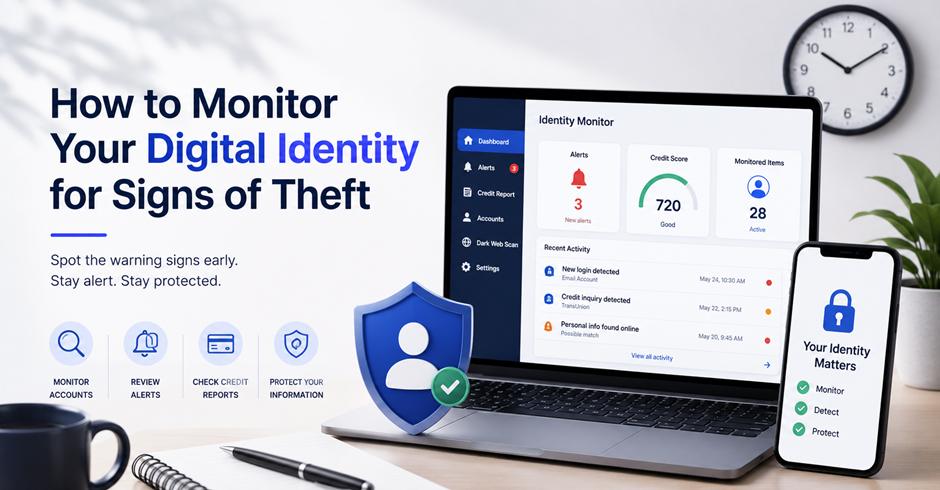
Keep an eye on your accounts, credit reports, and security alerts for anything unusual. Strong passwords, two-factor authentication, and an identity monitoring service can help you spot potential identity theft early and act before it becomes a bigger problem.
Your digital identity is made up of more than a username or email address.
It can include your name, phone number, email addresses, passwords, financial information, account details, and other personal data connected to your online activities. If some of that information falls into the wrong hands, it can potentially be used to access accounts, open fraudulent accounts, or impersonate you.
The good news is that you do not need to constantly check every account manually.
A few regular checks can help you spot unusual activity early and respond before a small problem becomes a much bigger one.
What Does Digital Identity Monitoring Mean?
Digital identity monitoring is the process of looking for signs that your personal information may have been exposed, misused, or connected to suspicious activity. Common warning signs of identity theft include unfamiliar transactions, unknown credit accounts, or account activity you don’t recognize.
It can involve checking your financial accounts, credit reports, email accounts, login alerts, and other places where your information appears.
Different monitoring tools focus on different types of information, so there is no single system that can detect everything.
What Should You Monitor?
The most useful areas to monitor depend on the information you use online.
| Area | What to Look For |
| Bank accounts | Unknown transactions or withdrawals |
| Credit reports | Unfamiliar accounts or credit applications |
| Email accounts | Unexpected password resets or login alerts |
| Social media | Unknown logins or profile changes |
| Online accounts | Changed passwords or recovery details |
| Personal information | Unexpected exposure or suspicious use |
The important thing is consistency. A quick review every few weeks can be more useful than checking everything once and then forgetting about it.
Why Early Detection Matters
Identity theft does not always start with an obvious warning.
Someone may first obtain an email address or password and use it much later. In other cases, suspicious activity may appear as a small unfamiliar transaction before a larger problem develops.
Finding these signs early gives you more time to change passwords, secure accounts, contact the relevant company, or investigate potentially fraudulent activity.
Check Your Accounts for Unusual Activity
One of the simplest ways to monitor your digital identity is to regularly review the accounts you already use.
You do not need special software to notice many common warning signs.
Review Bank and Payment Accounts
Check your bank and payment accounts for transactions you do not recognize.
Look for:
- Unknown purchases
- Unexpected withdrawals
- New payment methods
- Changes to account details
- Transfers you did not make
A small unfamiliar transaction should not automatically be treated as identity theft. There can be legitimate explanations, such as a subscription renewal or a merchant using a different billing name.
However, if you cannot explain a transaction, investigate it rather than ignoring it.
Check Your Credit Reports
Credit reports can reveal activity that may not appear in your normal bank statements.
Look for accounts, credit applications, or other activity that you do not recognize.
In the United States, consumers can obtain free credit reports through AnnualCreditReport.com, the federally authorized source for free credit reports.
Reviewing your reports periodically can help you identify unfamiliar activity that deserves further investigation.
Watch for Changes to Your Online Accounts
Your online accounts can provide some of the earliest signs that someone has attempted to access them.
Many services send alerts when a new device signs in, a password changes, or unusual activity is detected.
Pay Attention to Security Alerts
Do not automatically dismiss unexpected security emails.
An alert about a password reset, new login, or changed recovery information could indicate that someone has attempted to access your account.
If you receive an alert you did not trigger yourself, go directly to the service’s official website or app instead of clicking links in the message.
This helps reduce the risk of falling for a phishing attempt while investigating the alert.
Check Recovery Information
Your email address and phone number are often used to recover online accounts.
Periodically check whether the recovery information on important accounts is still correct and belongs to you.
If an unfamiliar recovery email or phone number appears on an account, treat it seriously. Someone who changes these details may be trying to make it harder for the legitimate account owner to regain access.
Look for Signs Your Information Has Been Exposed
Personal information can sometimes be exposed through a data breach, compromised account, or other security incident.
You may not immediately know that your information has been involved.
Watch for Password Reuse Problems
One of the biggest risks is using the same password across multiple websites.
If one service is compromised and that password becomes available to attackers, they may try the same credentials on other services.
Using a different password for every important account limits how much damage can result from one compromised credential.
A password manager can make this easier by generating and storing unique passwords.
Check for Unexpected Messages
Identity-related problems can also show up indirectly.
You may receive:
- Password reset messages you did not request
- Confirmation emails for accounts you never created
- Bills for services you did not use
- Messages about purchases you do not recognize
- Verification codes that you did not request
One unexpected message does not necessarily mean your identity has been stolen. It could be a mistake or an attempted phishing attack.
But repeated or unusual activity is worth investigating.
Consider Identity Monitoring Tools
Manual checks are useful, but they can become difficult as the number of accounts and services you use increases.
This is where monitoring tools can provide additional visibility.
An identity monitoring service can help watch for certain types of personal information exposure or suspicious activity and alert you when something potentially concerning is detected.
The exact features vary between providers. Some services may focus on identity-related information, while others may include credit monitoring, dark web monitoring, account alerts, or assistance after suspected identity theft.
The key is to understand what a particular service actually monitors rather than assuming it covers every aspect of your digital identity.
What Should You Look For?
Before choosing a monitoring service, consider:
- What information does it monitor?
- What types of alerts does it provide?
- How quickly are alerts delivered?
- Does it include credit monitoring?
- Does it monitor exposed personal information?
- What happens after suspicious activity is detected?
- What are the costs and cancellation terms?
A monitoring service is most useful when it provides information you can actually act on.
Protect Your Digital Identity Proactively
Monitoring is only one part of protecting your identity.
Once you identify a potential weakness, you need to address it.
Use Strong, Unique Passwords
Create a unique password for important accounts, particularly email, banking, payment, and cloud-storage accounts.
Avoid using easily guessed information such as names, birthdays, or common phrases.
A password manager can help you maintain unique credentials without having to remember each one.
Enable Two-Factor Authentication
Two-factor authentication adds another verification step when signing into an account.
Even if someone obtains your password, they may still need the additional authentication method to access the account.
Enable it on important accounts whenever it is available.
Keep Your Devices Updated
Your computer and phone are part of your digital identity.
Software updates often include security fixes, so keeping your operating system, browser, and important applications updated can reduce exposure to known vulnerabilities.
Also be cautious about applications, browser extensions, and files from unknown sources.
What to Do If You Notice Something Suspicious
Finding suspicious activity can be stressful, but the best response is to act methodically.
Start by confirming what happened.
For example, if you see an unfamiliar transaction, check whether another person who has access to the account made it or whether the merchant is simply using a different billing name.
If the activity still cannot be explained, contact the relevant company through an official channel. You may also want to take steps to protect your credit, such as reviewing your credit reports and considering a fraud alert or security freeze where appropriate.
For suspected identity theft in the United States, IdentityTheft.gov provides guidance on reporting and recovering from identity theft.
You may also need to:
- Change the affected password.
- Sign out of other active sessions.
- Enable two-factor authentication.
- Contact your bank or card provider if financial information is involved.
- Review your credit reports.
- Document suspicious activity and relevant dates.
- Report identity theft when appropriate.
Taking action quickly can limit the potential impact.
Build a Simple Identity Monitoring Routine
You do not need to spend hours every week checking your online presence.
A simple routine can cover most of the basics.
Weekly:
Check important financial accounts and look for unfamiliar transactions.
Monthly:
Review important account activity, security alerts, and recently installed applications.
Every few months:
Review your credit reports, passwords, recovery information, and connected accounts.
When you receive an unexpected alert:
Investigate it immediately rather than assuming it is harmless.
The exact schedule is less important than making identity monitoring a regular habit.
Final Thoughts
Your digital identity can extend across dozens of websites, accounts, devices, and services. That makes it difficult to protect everything perfectly, but regular monitoring can make suspicious activity easier to spot.
Start with the basics: review your financial accounts, check your credit reports, pay attention to security alerts, use unique passwords, and enable two-factor authentication.
If you want additional visibility, an identity monitoring service can complement these habits by watching for certain types of exposure or suspicious activity.
The goal is not to constantly worry about identity theft. It is simply to know what is normal for your accounts so that you can recognize when something changes.
FAQs
How can I monitor my digital identity?
Regularly check your financial accounts, credit reports, email security alerts, and important online accounts. You can also use identity monitoring tools for additional alerts about certain types of exposure or suspicious activity.
What are the first signs of identity theft?
Common warning signs include unfamiliar transactions, unknown credit accounts, unexpected password reset emails, unfamiliar login alerts, and bills or account confirmations for services you did not request.
Is an identity monitoring service worth using?
It can be useful if you want additional visibility into potential exposure or suspicious activity. Compare what each service actually monitors and what alerts or assistance it provides before choosing one.
How often should I check my credit report?
Checking your credit reports periodically can help you spot unfamiliar accounts or applications. You can access free reports from the federally authorized AnnualCreditReport.com.
Can a password manager help prevent identity theft?
A password manager can reduce the risk of password reuse by helping you create and store unique passwords for different accounts. It does not prevent identity theft by itself, but it can strengthen account security.
What should I do if I think my identity has been stolen?
Secure the affected accounts, change compromised passwords, contact financial institutions when necessary, review your credit reports, document suspicious activity, and use the appropriate identity-theft reporting and recovery resources for your country.