
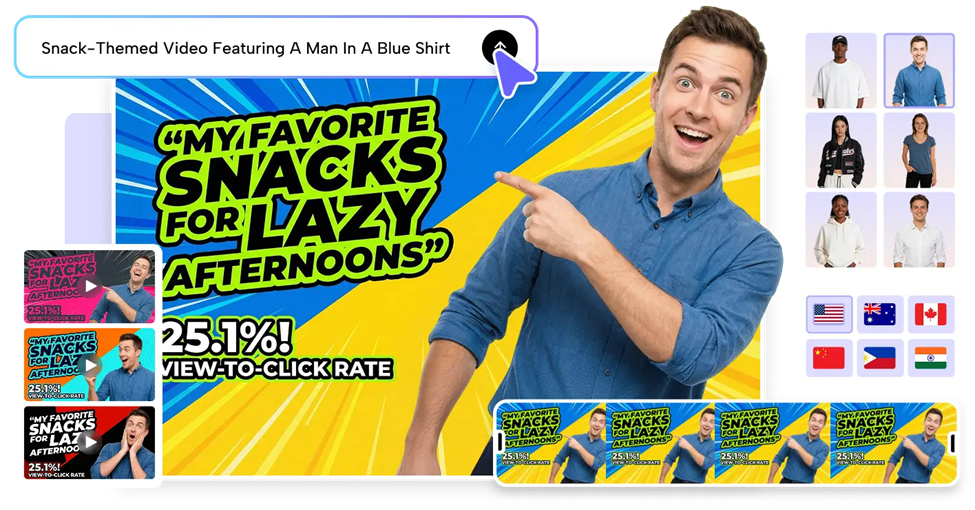
Education, marketing, SaaS onboarding, and social communication are now all supported by explainer videos. It can take time to research, write, record, edit, and revise valuable ideas in the traditional production process. AI creation accelerates this journey by structuring data to form compelling visual narratives. Pippit converts prompts, documents, links, images, and media into structured explainers. This process allows creators to concentrate on the message rather than the script preparation process.
Why Scriptless Explainer Videos Are Becoming the Preferred Content Format
Scriptless creation shifts storytelling from handwritten to guided content development. Creators do not write each sentence; they only give the topic, purpose, audience, and material. AI can understand those inputs and structure key points into a logical order. This type of video is ideal for tutorials, software walkthroughs, product explainers, educational videos, and process demonstrations. Pippit transforms various sources of material into video concepts and minimises repetitive planning. By thinking in ideas, experimentation becomes quicker.
Essential Components That Make AI-Generated Explainers Effective
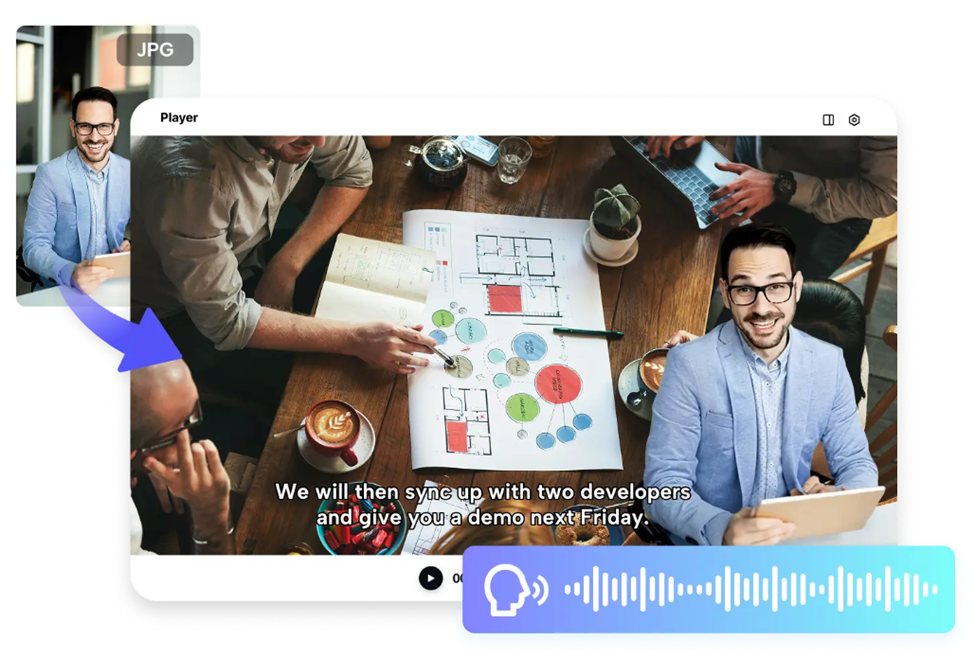
Good explainers rely on good structure, visuals that are easy to read, appropriate narration, and pacing. Pippit can plan narration, captions, scene changes, and visuals based on provided information. Atalking photo can be used as an aid to presenter-type communication if there is a visual identity that is known and appropriate to the topic. Automatic voice generation to ensure consistent delivery without having to record in a studio. Captions make it easier for both people with disabilities and those who do not have audio to follow the action. Switching scenes should help to tie ideas together, not detract from them. Consistent typography, imagery, color, and framing help to clarify relationships. There is still a need for human checking for pronunciation and factual correctness.
Steps to Create Explainer Content Without Scripts Using a Video Agent
Step 1: Set up your explainer project
- Sign up for Pippit using your Google, TikTok, or Facebook account.
- Open “More” from the left menu and select “Video generator”.
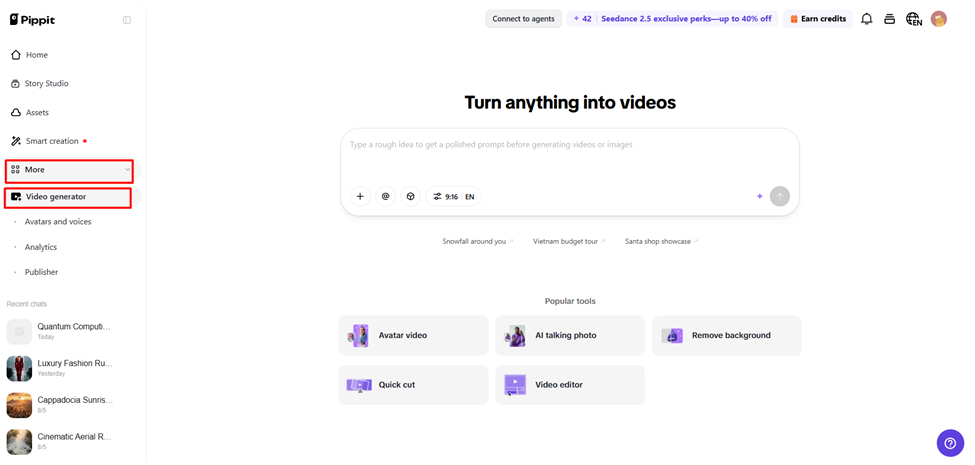
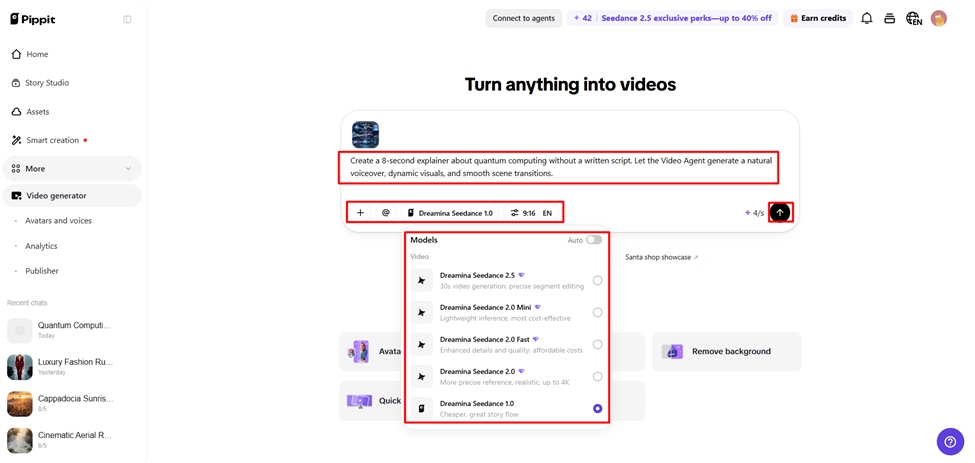
- Choose an AI model such as Dreamina Seedance 1.0, Dreamina Seedance 2.0, Dreamina Seedance 2.0 Fast, Dreamina Seedance 2.0 Mini, or Dreamina Seedance 2.5.
- Enter a detailed prompt describing the explainer video you want.
- Select the video length, language, subtitles, and aspect ratio if needed.
- Click “+” to upload reference images or videos from your device, phone, Dropbox, or a link. You can also choose assets if you do not have reference media.
- Click “Generate”.
Step 2: Generate the explainer
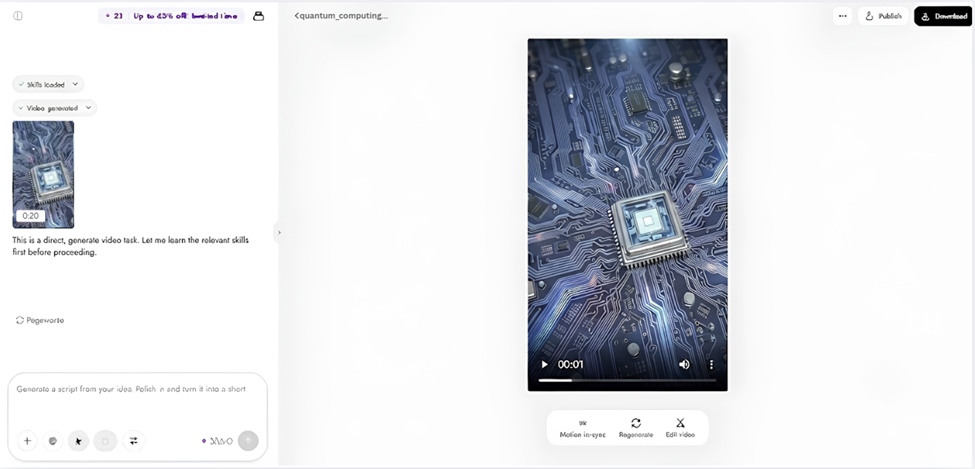
- After clicking “Generate”, Pippit creates an explainer video from your prompt and reference media.
- The AI automatically handles transitions, pacing, captions, avatars, voice, lyrics, and visual enhancements.
- Review the generated draft.
Step 3: Edit and export
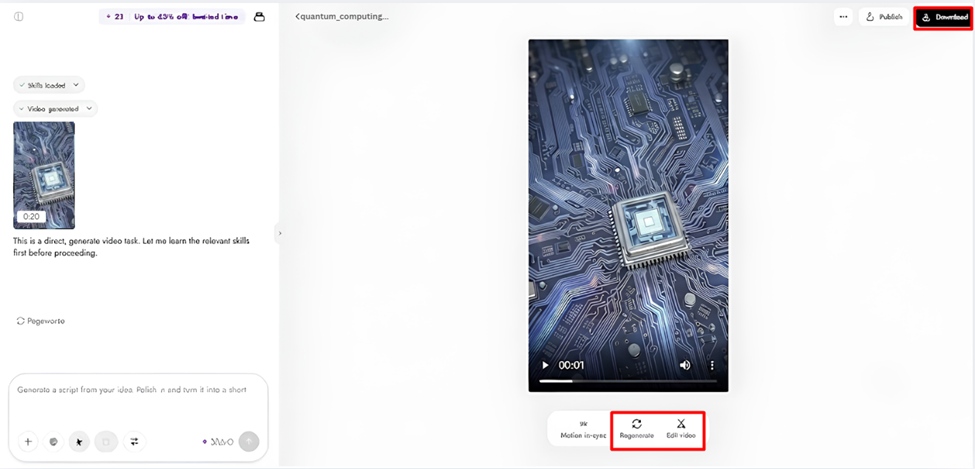
- Click “Download” to save the video, “Regenerate” to create another version, or “Edit more” to open the editing interface.
- Edit captions, add text, and adjust size, color, alignment, filters, and effects.
- Add background music, remove backgrounds, and refine the visuals.
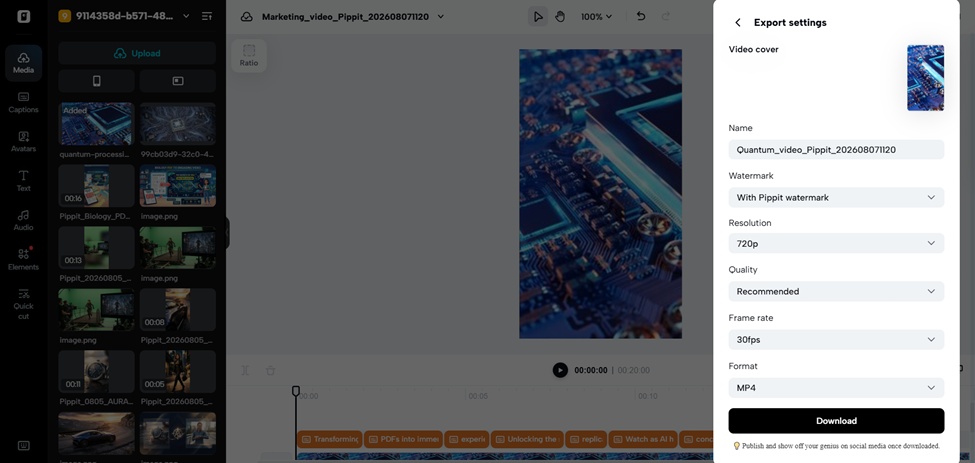
- Click “Export”.
- Select “Publish” for TikTok, Instagram, or Facebook, or choose “Download” to save the video with your preferred format, resolution, frame rate, and quality.
Ways Pippit’s AI Automatically Structures Explainer Videos
Pippit structures explainers in a series of interrelated phases:
- Topic Understanding: AI understands the prompt and determines the primary communication objective.
- Visual Mapping: Concepts are turned into matching scenes, graphics, imagery, or supporting footage.
- Narration Flow: Generated Narration: The presentation of information in a coherent and comprehensible sequence.
- Caption Synchronization: Captions synchronize with spoken content, enhancing accessibility and silent viewing.
- Scene Progression: Transitions link related sections and minimize abrupt changes of topic.
- Content Optimization: Pacing matches spoken information, visuals, and the viewers’ attention.
Personalizing Script-Free Explainers with Pippit’s AI Features
Personalisation makes an explainer fit in with their audience, platform and identity. Pippitvideo agent is the AI avatar for professional presentations, tutorials, demonstrations and presenter-led communication. Choices of avatars can establish an appropriate visual presence, as long as there is no filming. Multilingual generation can assist in adapting communication to distinctively different audiences with different languages. Automatic subtitles can enhance accessibility, and manual subtitles offer more control. The aspect ratio options enable you to prepare content for vertical, square, or landscape formats. Logos, colors, typography, and consistent visual treatments can help to reinforce recognition. These controls maintain a consistent identity across formats.
Transforming Different Content Sources into Explainer Videos
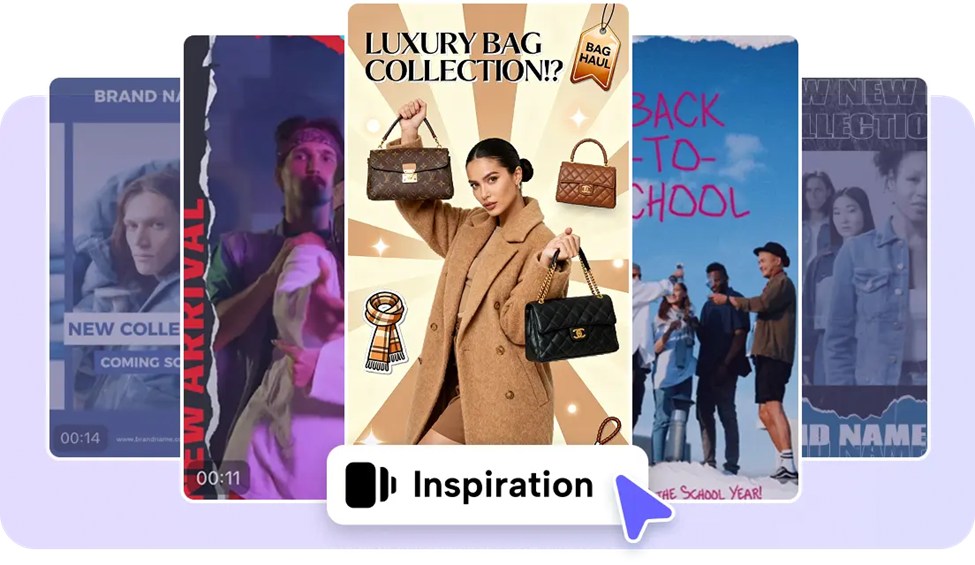
Pippit can create explainer ideas from various sources, with less reliance on one production method. Text prompts give explicit directions regarding topics, tone, structure, and visuals. Images can be used to define products, characters, diagrams, environment, or reference styles. Documents can give an educational or business explainer detailed information. AI can provide the footage and organize the supporting scenes and narration for existing media clips. When appropriate, information from URLs and online resources can be used as a source. Mixed inputs can bring various elements such as text, images, documents, and clips into one project. All permissions, claims and source relevance should be confirmed by human review.
Editing AI-Generated Explainers for Better Visual Communication
Focused editing pass for generated content. Pippit’s editing environment lets creators edit captions, typography, alignment, effects, filters, and other visual elements. Caption edits may include corrections for names, terminology, punctuation, or timing. The use of visual hierarchy can highlight key information using size, placement, contrast, and spacing. Effects should enhance the message, not detract from important information. Background music can be used to provide energy, but should not be louder than narration. Transitions can help ensure there is continuity between similar scenes and to keep the viewing experience comfortable. Checks can be done for consistency of logos, colors, fonts, and visual treatments, as well as branding. Editing makes an automated draft into clear communication.
Publishing Explainer Videos Across Multiple Platforms
Distribution is not a one-file-export-and-then-post-everywhere. Platforms encourage certain dimensions, lengths, interfaces, and behaviors of viewing. Pippit allows you to select between a landscape, square, or vertical aspect ratio. Built-in scheduling can streamline publishing processes and minimize repetitive posting activities. Direct publishing is available on Facebook, Instagram, and TikTok, depending on connections and platform support. While it’s a great way to maintain branding, a consistent workflow can be used to make each video easier to adapt to the channel it’s being published to. Scheduling keeps you on track to publish on a regular basis without having to post it yourself. Check captions, links, platform requirements, rights, and final rendering quality before publishing.
Conclusion
The creation of scriptless explainers eliminates a number of barriers between an idea and a completed video. AI can structure the source content, create scenes, provide narration, align captions, and enhance pacing. Pippit integrates generation, customization, editing, and publishing in a seamless workflow. The role of human review remains important as there is a need for accuracy, context, and creative judgement to be effective communicators. Clear ideas and useful source material are the foundations for an efficient creation of explainers. This method facilitates professional video communication in education, business, marketing and social media.